
Form Layers
Form layers in Loomix Configurator allow users to customize products with various input options. While these layers do not affect the product preview, they can be priced to contribute to the overall cost.
Text Field Layer
The Text Field layer allows users to input a single line of text.
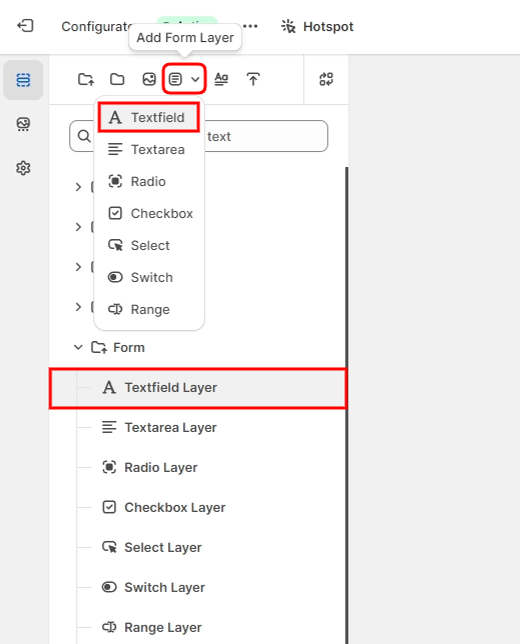
Key Points
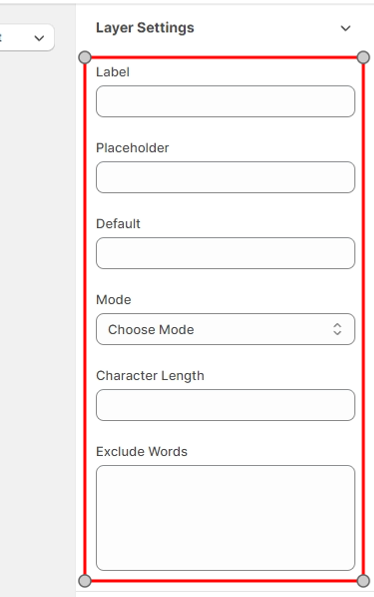
Label: Provides a label for the text field in the options area.
Placeholder: Displays placeholder text in the text field.
Default: Sets a pre-defined value that appears on the front end.
Character Length: Limits the number of characters that can be entered.
Mode: Restricts input to text, number, or email formats.
Exclude Words: Prevents entry of specified words.
Price
If the text field is active and a value is entered, its layer price is added to the total cost.
Text Area Layer
The Text Area layer allows users to input multiple lines of text.
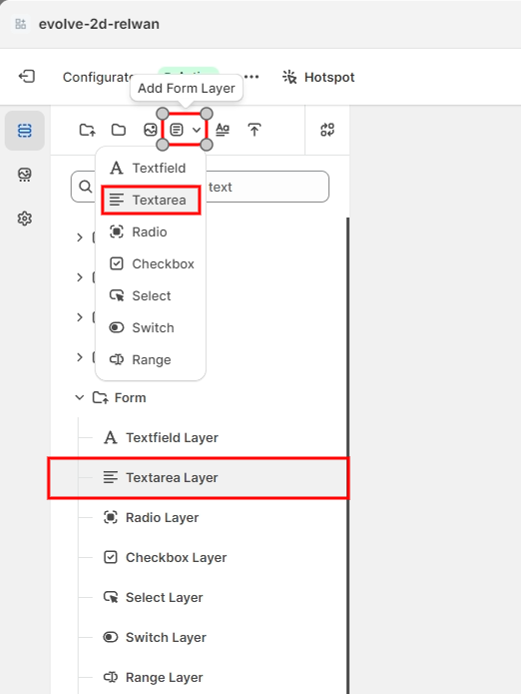
Key Points
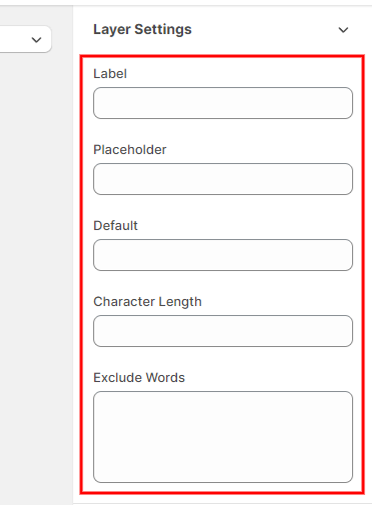
Label: Provides a label for the text area in the options area.
Placeholder Option: Displays placeholder text in the text area.
Default: Sets a pre-defined value that appears in the text area.
Exclude Words: Prevents entry of specified words.
Price
If the text field is active and a value is entered, its layer price is added to the total cost.
Radio Layer
The Radio layer presents a group of radio buttons for single option selection.
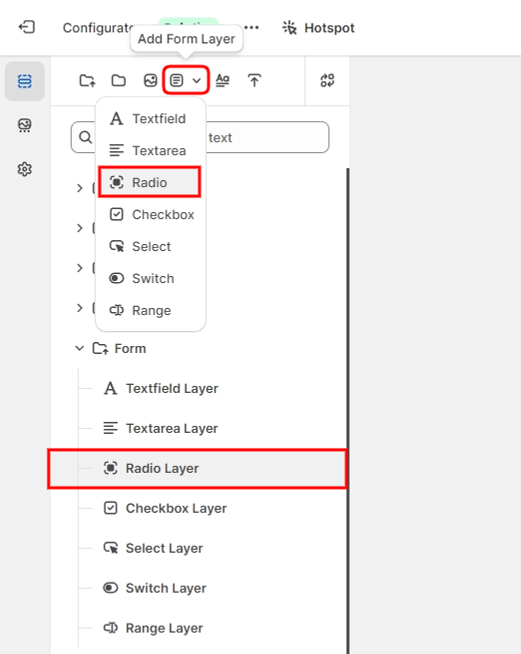
Key Points
Options: Define a list of options, each with a possible price.
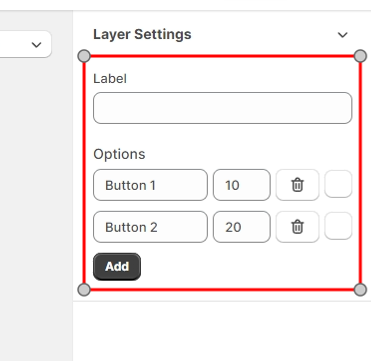
Price
The price of the selected radio option is added to the total cost.
Checkbox Layer
The Checkbox layer enables users to select multiple options.
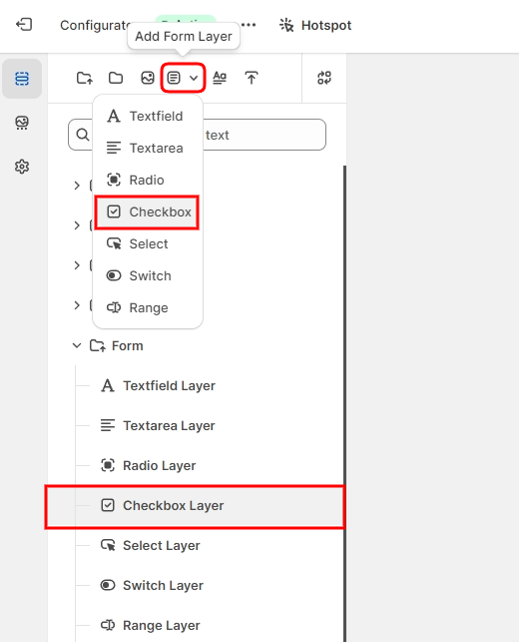
Key Points
Options: Create multiple checkbox options, each with an associated price.
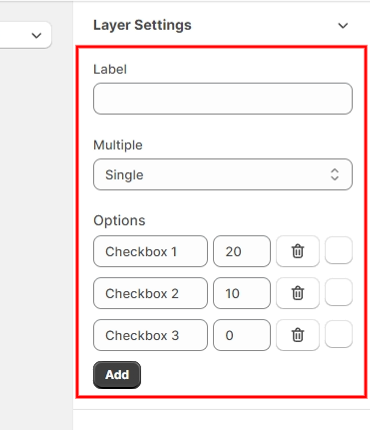
Price
The price of each selected checkbox option is added to the total cost.
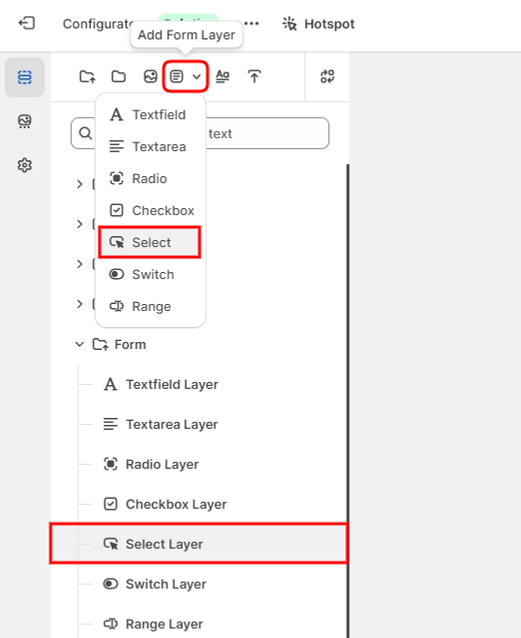
Select Layer
The Select layer provides a dropdown menu for single option selection.
Key Points
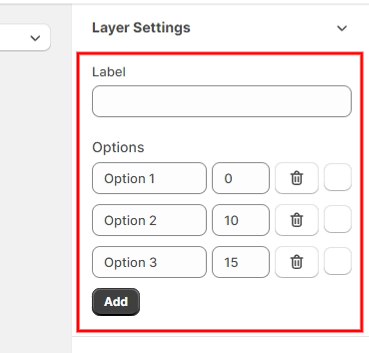
Label: Provides a label for the text field in the options area.
Options: Define a list of options, each with a possible price.
Price
The price of the selected option is included in the total cost.
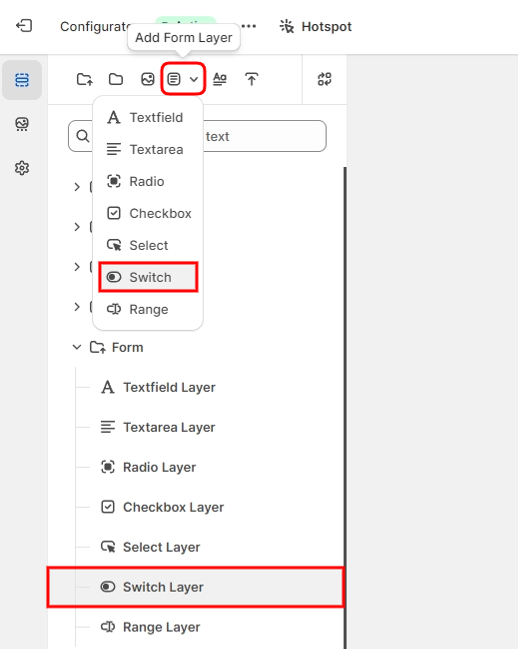
Switch Layer
The Switch layer functions as a toggle for enabling or disabling a feature.
Key Points
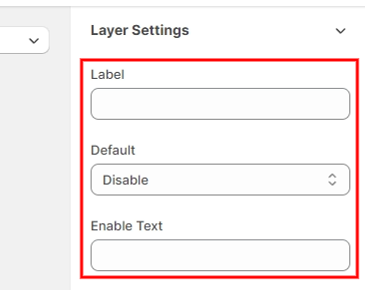
Default State: Set to Enabled or Disabled initially.
Text Setting: Customize the text for the toggle options.
Price
When enabled, the switch's price is added to the total cost.
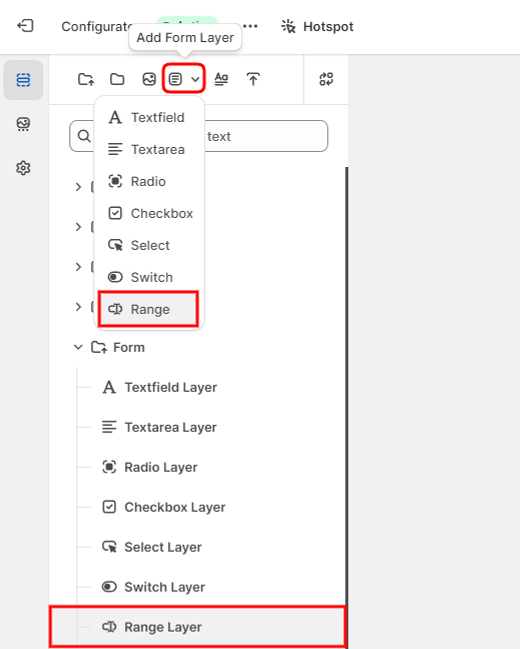
Range Layer
The Range layer is an input slider for selecting a value within a defined range.
Key Points
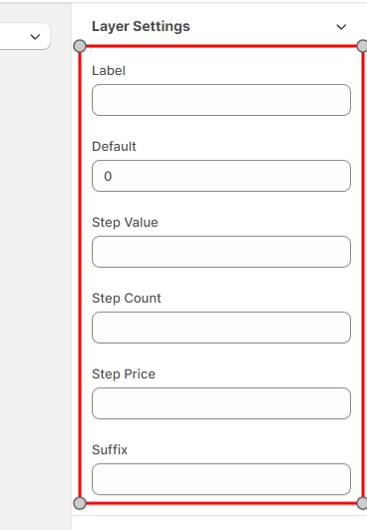
Step Value: The value assigned to each incremental step on the slider.
Step Count: The total number of steps.
Step Price: The price associated with each step, which is multiplied by the step count to determine the total cost.
Price
Divide the selected value by the step value to find the number of steps. Next, multiply the number of steps by the step price. The resulting amount is then added to the total cost.